How a love of puzzles, a little curiosity and a great deal of help from ChatGPT led to something I never imagined creating.
There’s something rather strange about finding yourself doing something you never imagined you’d be doing. In my case, it’s developing computer software.
Now, before anyone gets the wrong idea, I should explain that I’m not a professional programmer. I haven’t spent years learning complicated programming languages, and I certainly wouldn’t describe myself as a computer expert.
I’m a retired chap living in East Devon who enjoys creating puzzles. Yet somehow, over the past few months, I’ve ended up helping to develop a collection of twelve puzzle-making programs, all brought together into something called Pip Nash Puzzle Studio.
How on earth did that happen? Well, it’s been quite an adventure.
It All Started with Puzzles
I’ve enjoyed puzzles for years. Crosswords, wordsearches, Sudoku, logic puzzles, codewords, mazes. I like the challenge of solving them, but I’ve also become fascinated by the process of creating them. There’s something particularly satisfying about producing a puzzle that someone else can enjoy.
A wordsearch for a family gathering. A puzzle for a church event. A collection of Sudoku puzzles for a rainy afternoon. Perhaps even a complete puzzle book.
Through my Devon Puzzles website, I’ve explored different programs and methods for creating puzzles, including spreadsheets and specialist puzzle-making software. Some programs were excellent. Others were rather complicated, particularly if all I wanted was to create a few puzzles without spending half the afternoon learning how to operate the software.
Gradually, a thought began to form.
Wouldn’t it be nice if I could create puzzle-making programs that worked exactly the way I wanted?
At the time, it seemed a rather ambitious idea. After all, I couldn’t write the programs myself. Or could I?
Enter ChatGPT and Claude
Like many people, I’d been experimenting with ChatGPT. I’d discovered that it could help with writing, explain unfamiliar subjects and suggest ideas. But I became increasingly interested in whether it could do something more practical.
Could it actually help me make software?
I started with puzzle generators, including programs built using Microsoft Excel and VBA. The process was surprisingly straightforward, at least in principle. I explained what I wanted the program to do. ChatGPT helped produce the code. I tried it on my computer, reported what happened and asked for changes.
Sometimes it worked. Sometimes it most definitely didn’t.
But when something did work, it was rather exciting.
I could ask for a new feature, test the result and watch the program gradually become more useful. I began to realise that, although I couldn’t write the code myself, I could make a considerable contribution to developing the software.
I knew what I wanted. I understood puzzles. I could recognise when a puzzle was good, when it was too easy, or when something simply didn’t make sense. And, perhaps most importantly, I could keep asking for improvements.
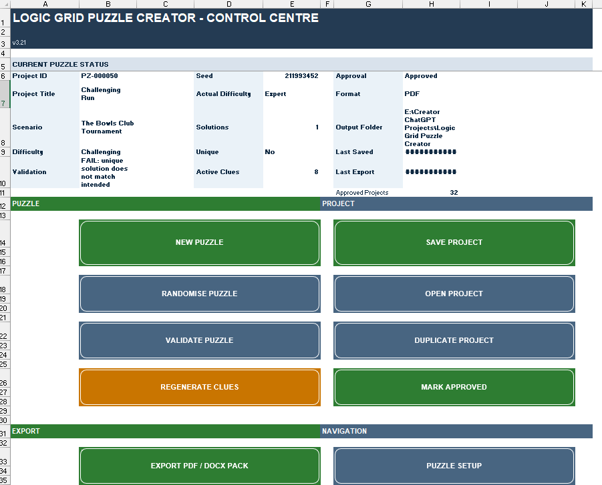
Not Everything Went According to Plan
I should probably confess something at this point. Creating software with AI is not simply a matter of asking for a program and watching a perfect result appear. I wish it were!
Some of my puzzle makers went through many versions before I was satisfied.
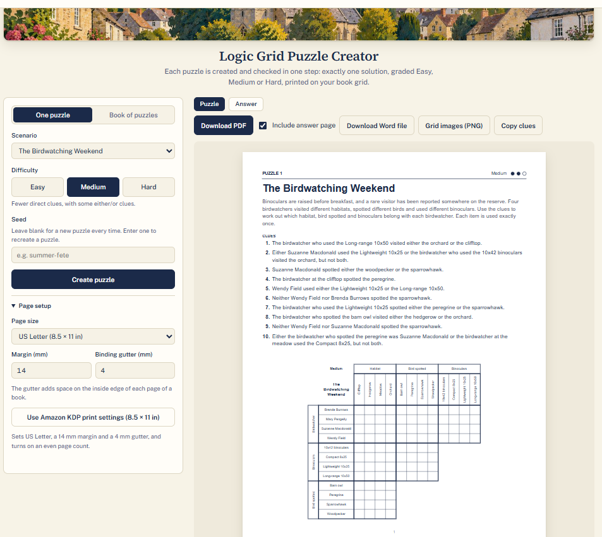
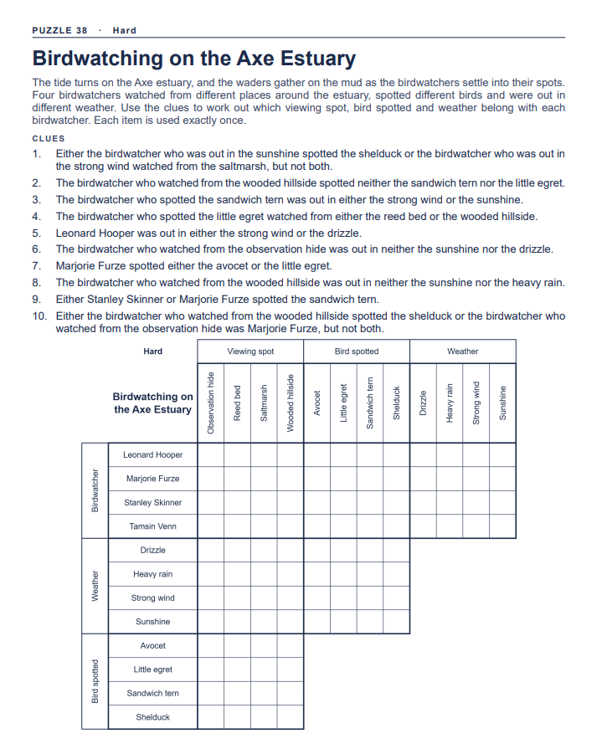
The Logic Grid Puzzle Creator was particularly troublesome. Logic puzzles are fascinating because the clues must work together to produce one definite solution. But generating a mathematically correct puzzle is only half the battle. The clues also need to make sense in ordinary English.
At one stage, the program was producing such peculiar sentences as: “The side chapel did not go with the quarter past nine.”
Technically, the program might have understood what it meant. I certainly didn’t! It was the sort of sentence that made me wonder whether the computer and I were speaking the same language.
I bounced the ideas between ChatGPT and Claude. Claude and gradually sorted out the natural language. We also spent a great deal of time trying to improve the clue-writing system. Some versions were better than others. Occasionally, an attempted improvement made things worse.
There were times when I decided that the best course of action was to return to an earlier version that worked properly. That taught me an important lesson.
A new version isn’t necessarily a better version.
And software isn’t really finished just because it runs without displaying an error message. It has to produce something worth using.
One Puzzle Maker Became Another
Despite the frustrations, I was enjoying the process enormously. Claude, in particular, was very adept at creating the type of creator I wanted.
Once I’d made progress with one puzzle creator, I began thinking about another. And another.
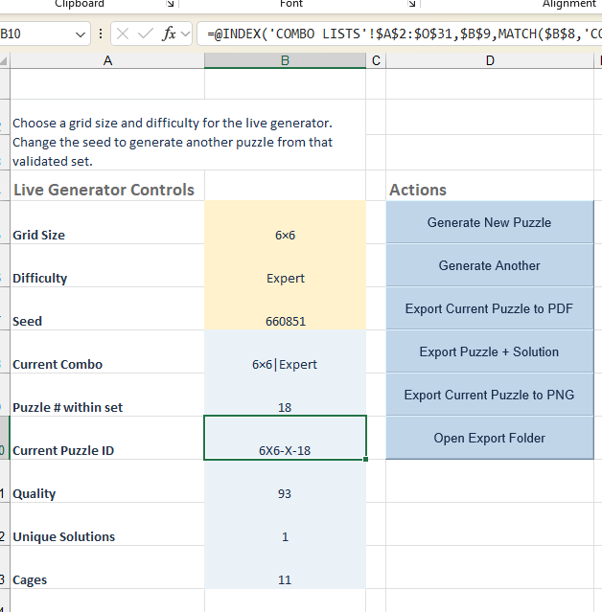
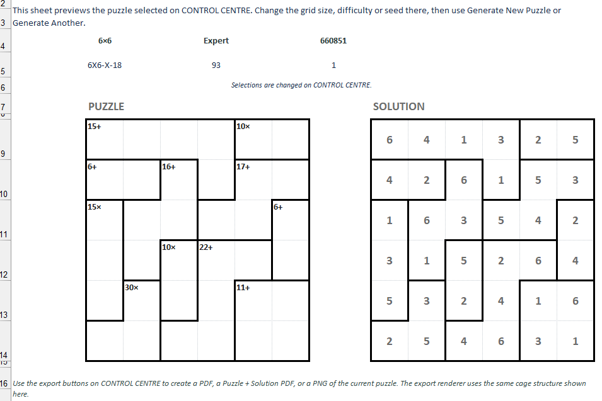
There was a Wordsearch Creator, followed by work on Codewords, Sudoku and Mazes. I experimented with Number Cage puzzles, where arithmetic and logic combine to fill a grid. I developed Murder Mystery puzzle creators, including one inspired by the villages and countryside of East Devon.
That was particularly enjoyable because it brought together two of my interests: puzzles and cosy mysteries.
Other projects included Kriss Kross puzzles, Dot-to-Dot puzzles and Word Wheels. Each had its own challenges.
Sometimes the difficulty lay in generating a valid puzzle. Sometimes it was producing an attractive printable page. Sometimes the problem was simply making the controls straightforward enough for someone to use without having to refer to a lengthy instruction manual. I increasingly wanted the programs to be suitable for ordinary people, not just computer enthusiasts.
If someone wanted to create a wordsearch for a school activity or a church gathering, they shouldn’t have to understand programming. They should be able to enter their words, choose a few settings and produce a puzzle. That was the aim.
Then Came a Rather Obvious Question
By this stage, I had quite a collection of puzzle-making tools. Each was useful in its own way, but there was a problem. They were separate programs. Some used spreadsheets. Others had their own interfaces. They didn’t always look alike, and moving between them wasn’t particularly convenient.
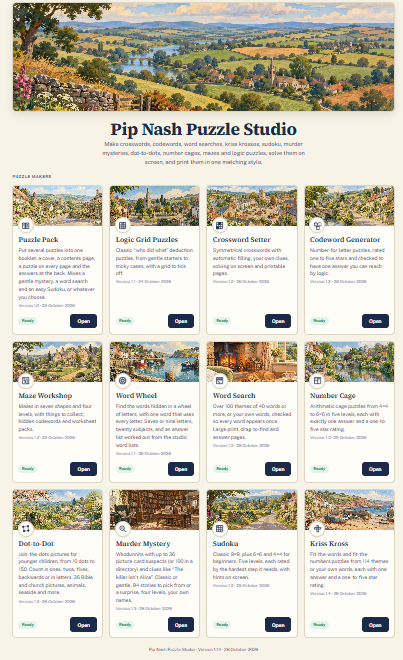
I began wondering whether they could all be brought together. One application. One familiar interface. A collection of puzzle makers that felt as though they belonged to the same family. And so the idea of Puzzle Studio began to take shape.
I wanted something that looked attractive, was easy to navigate and made puzzle creation feel enjoyable rather than technical. We experimented with the layout, the colours, the illustrations and the way each puzzle maker opened.
Eventually, twelve different puzzle makers were brought together under one roof.
I also wanted the Studio to have a little character. Instead of a collection of plain grey buttons and uninspiring screens, I designed illustrated banners inspired by traditional British storybooks, with gentle countryside scenes, warm colours and a welcoming appearance.
I wanted the whole thing to feel friendly. Something you’d actually enjoy opening. And, to my considerable satisfaction, it began to look like a proper piece of software.
From Puzzles to Puzzle Books
Another important part of the project was producing puzzles that could actually be printed and used. It wasn’t enough for a grid to look attractive on the screen.
I wanted puzzle pages that could be downloaded, printed and assembled into books. That meant thinking about paper sizes, margins, answer pages, page layouts and consistent presentation.
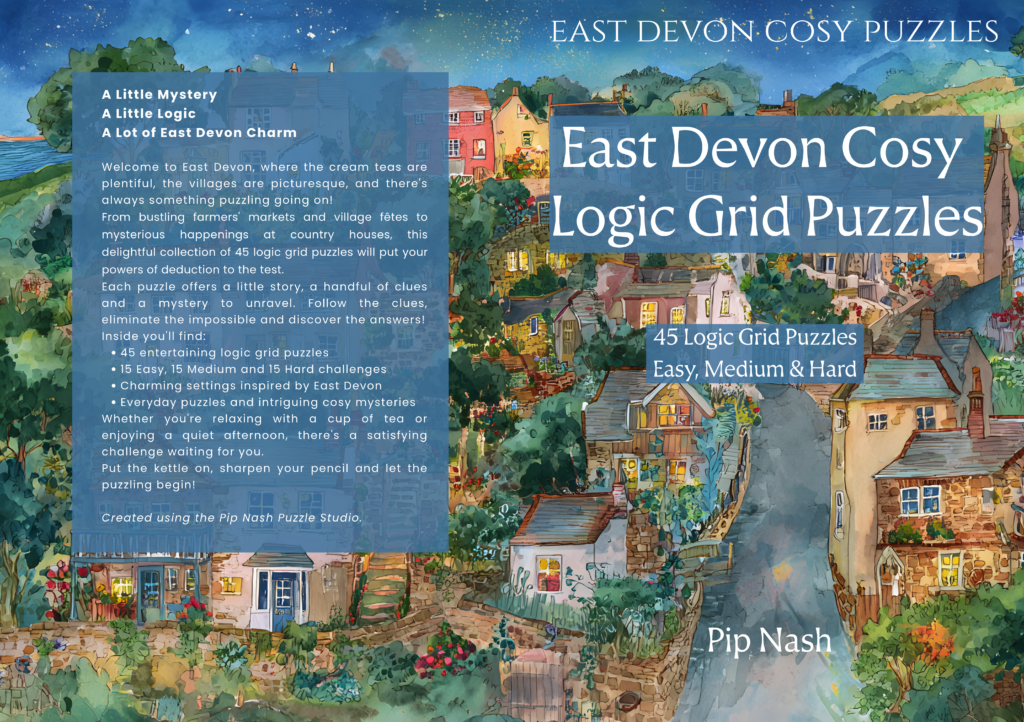
I’ve been using Affinity Publisher to bring puzzle pages together into complete books, and one of the most satisfying moments was seeing my first East Devon logic puzzle book take shape using puzzles produced by the Studio.
Suddenly, the software wasn’t just an interesting experiment. It was helping me create something tangible. A real puzzle book, with a proper cover, ready for the next stages of publishing. There’s something rather pleasing about that.
But Why Keep It to Myself?
As the Studio developed, I began thinking about whether other people might enjoy using it. After all, I’m hardly the only person who wants to make puzzles.
Teachers produce classroom activities. Churches organise children’s events and community gatherings. Clubs run quizzes and competitions. Families enjoy personalised puzzles for birthdays, holidays and Christmas.
And plenty of people simply enjoy making puzzles for the pleasure of it.
So I decided to make the complete Pip Nash Puzzle Studio available through Gumroad. But I wanted people to be able to try it too.
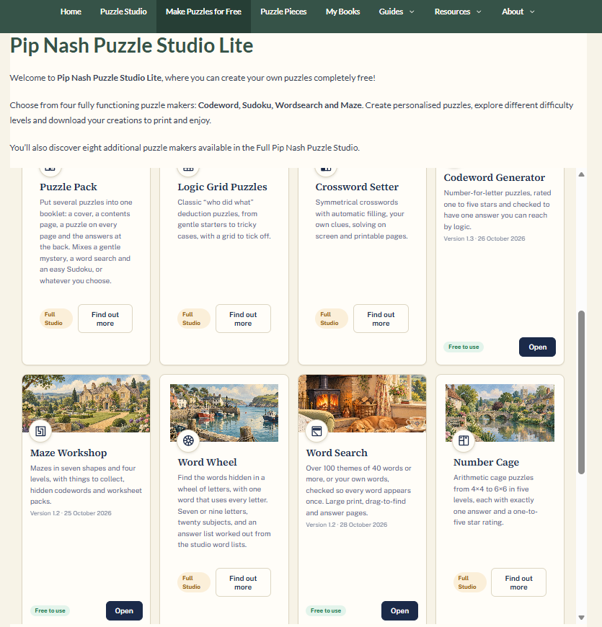
That led to another project: Pip Nash Puzzle Studio Lite. This is a free edition available directly through the Devon Puzzles website.
Visitors can use four of the original puzzle makers:
- Codeword
- Sudoku
- Wordsearch
- Maze
They can create puzzles, generate solutions and download printable results without registering or installing anything. The other eight puzzle makers are displayed as part of the Studio, so visitors can see what the full version offers. I like the idea that someone can visit Devon Puzzles, make a puzzle and take something useful away, even if they never purchase the complete application.
Have I Become a Software Developer?
That’s an interesting question. I still can’t sit down and write a complicated JavaScript program from scratch. I rely heavily on ChatGPT to help produce and modify the code.
But I’ve discovered that software development involves considerably more than typing instructions into a computer.
It involves understanding what you’re trying to achieve, making decisions, recognising problems, testing possible solutions and gradually improving the results. And I’ve certainly done plenty of that!
Perhaps the most important thing I’ve learned is that you don’t have to understand every technical detail to contribute something useful.
You do need to be curious. You need patience. You need to recognise that AI can make mistakes, sometimes quite spectacular ones.
And you need to be willing to say, “No, that’s not right. Let’s try again.”
I’ve said that rather a lot.
The Most Enjoyable Part
Looking back, one of the things that surprises me most is how much I’ve enjoyed watching the software develop.
There’s a particular satisfaction in starting with an idea, seeing a rough first version, identifying its shortcomings and gradually turning it into something that works. And there’s always another possibility. Another type of puzzle. Another improvement. Another feature that might make things easier or more enjoyable for someone.
I’ve also discovered that learning new things doesn’t have to stop when you retire. Sometimes it takes you in directions you’d never have considered.
A few months ago, I certainly wouldn’t have expected to find myself developing and selling puzzle-making software.
Yet here we are. And I suspect there are more adventures to come.
Why Not Have a Go?
If you’ve ever had an idea for something you’d like a computer to do, but assumed it was impossible because you couldn’t write software, perhaps it’s worth reconsidering.
I’m not suggesting that AI can effortlessly turn every idea into a finished, reliable application. My own experience has taught me quite the opposite.
There will be mistakes. There will be frustrations. There may even be moments when you feel like abandoning the whole thing. But there may also be the rather wonderful experience of watching something you imagined gradually become real.
For me, that something was Pip Nash Puzzle Studio. And it all began because I enjoyed making puzzles.
If you’d like to see what I’ve been creating, you can try Puzzle Studio Lite completely free.
Or, if you’re interested in the complete collection of twelve puzzle makers, you can explore the Full Pip Nash Puzzle Studio.
I’ll be sharing more about the individual puzzle makers, the problems we encountered and the lessons I’ve learned in future articles.
Because, as it turns out, there’s quite a story behind those little puzzle grids!
Pip Nash
Devon Puzzles, East Devon